Internships
You can access the details of an Internship from Reports - Students Placed. Tap on the Edit button on the last column.
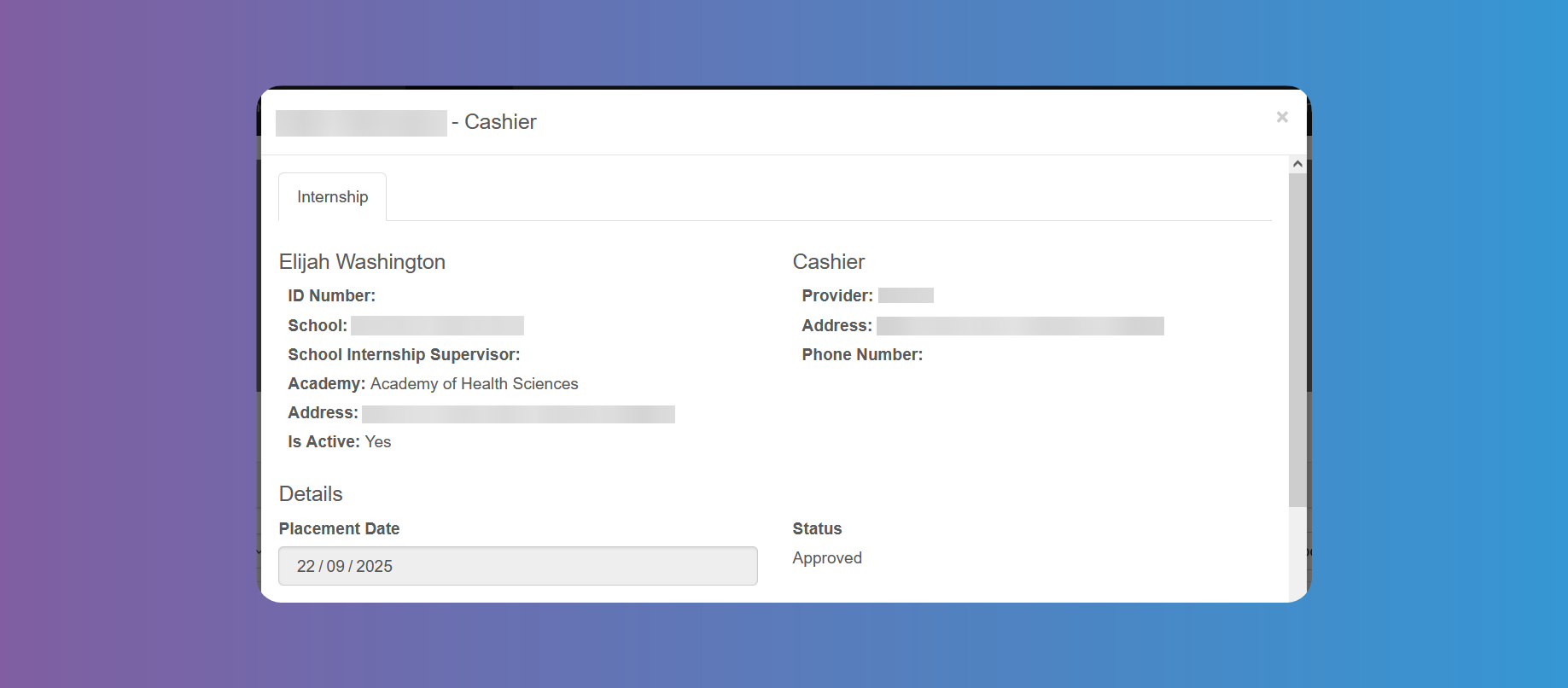
On the left you will find the data of the Student, such as ID number, school, school supervisor, area of study, address and if the Internship is active.
On the right you will find the Job post, Internship Provider name, address and phone number.
Below you will find the placement date and status.
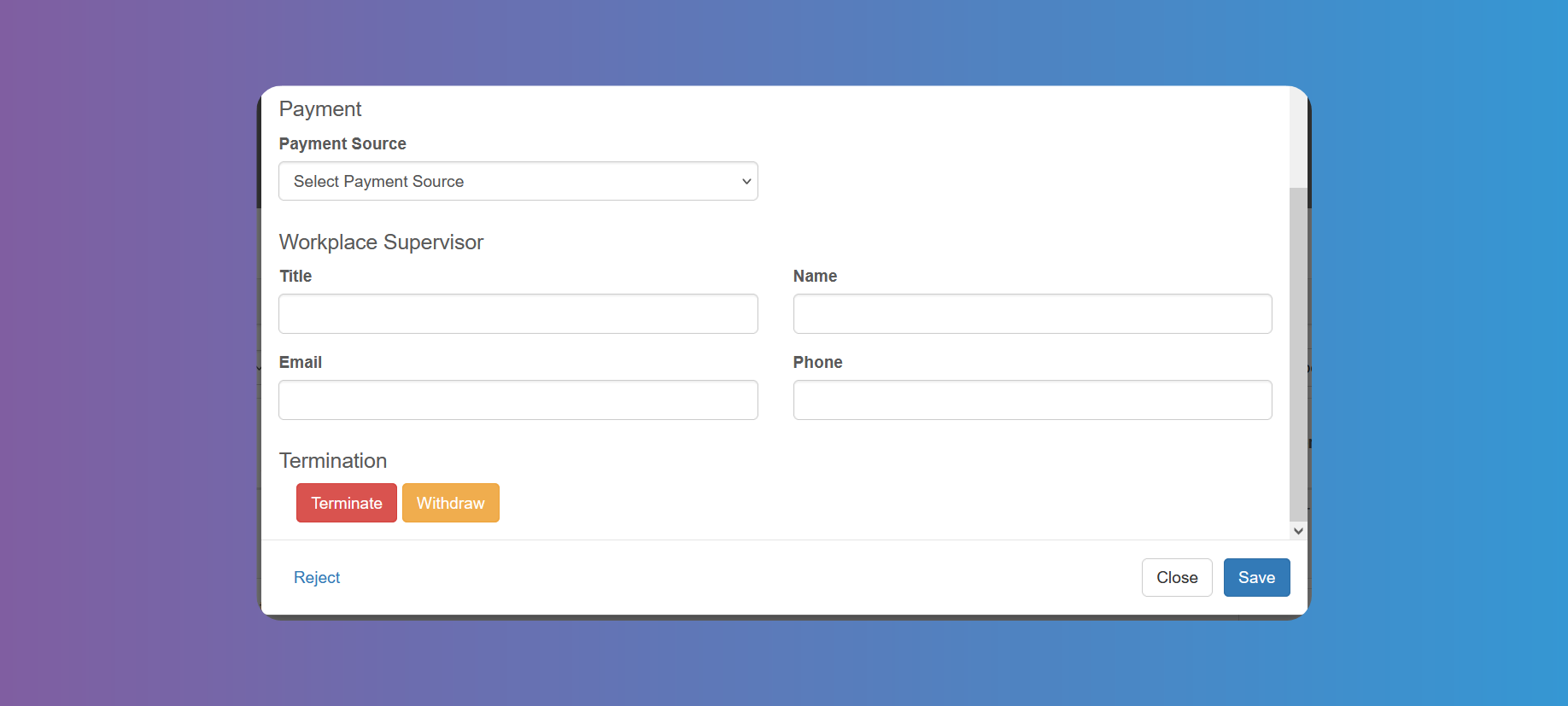
For the Payment Source you can choose one of 3 options: Employer, Community Hours or Grant.
You can fill in the workplace supervisor data below.
If your settings indicate a workplace supervisor must approve Timesheets, once the Student has been placed you need to fill it in from here; otherwise, the Timesheet will get stuck in the process.
At the bottom you will find the buttons to Terminate or Withdraw the Internship.