Time Tracking
If your school/district requires it, once you have been placed in an internship, you will be able to fill out your timesheets within the platform.
How to Fill Out and Submit Your Timesheets
Click on Timesheets on the top menu and then on Add New Timesheet to keep track of your Internship worked hours.
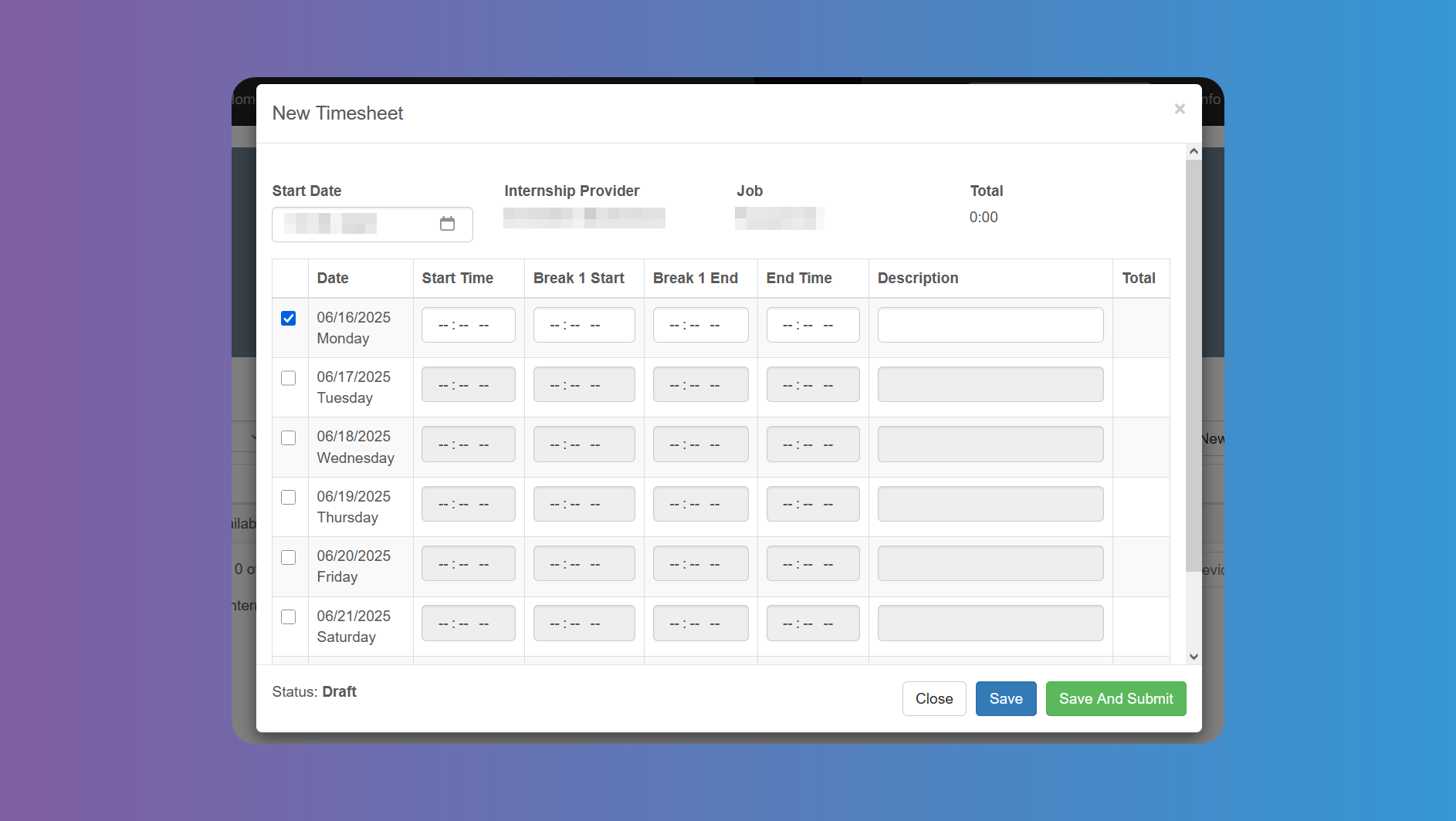
Enter the initial date of your Internship week and start filling in your data by ticking each day box. The columns to be filled may differ from the ones in the image, depending on the needs of your school/district.
Lastly click on Save or Save and Submit. Ask your school coordinator about the process (submitting at the end of each week, month, etc.).
Viewing Past Timesheets and Statuses
Each Timesheet consists of an entire week. Just click on the desired date to open the details of that timesheet. Click on Edit to continue filling out or modifying your timesheet. When done click on Save to save it as a draft or Save and Submit to submit it for review. Edition is only available when the Timesheet has not been submitted yet, or if it has been rejected.
You can see the Status at the bottom left corner. In case the Timesheet is rejected, you will receive an email, and you can go back to edit it and resubmit.
Click on the Notes tab to check if there are any notes for you from your supervisor.