Interviews
In order to apply for internships the Account Administrator needs to approve you after registering.
If you have applied for more than one Season, you can toggle between active Seasons from the top menu.
How to Schedule Interviews with Students
Click on Hire - Find Interns. You can select School, Area of Study, Grade, Radius and exclude Students who you already scheduled an interview or offered an Internship. For multiple selection, press the Ctrl or Shift key or CMD, depending on your device.
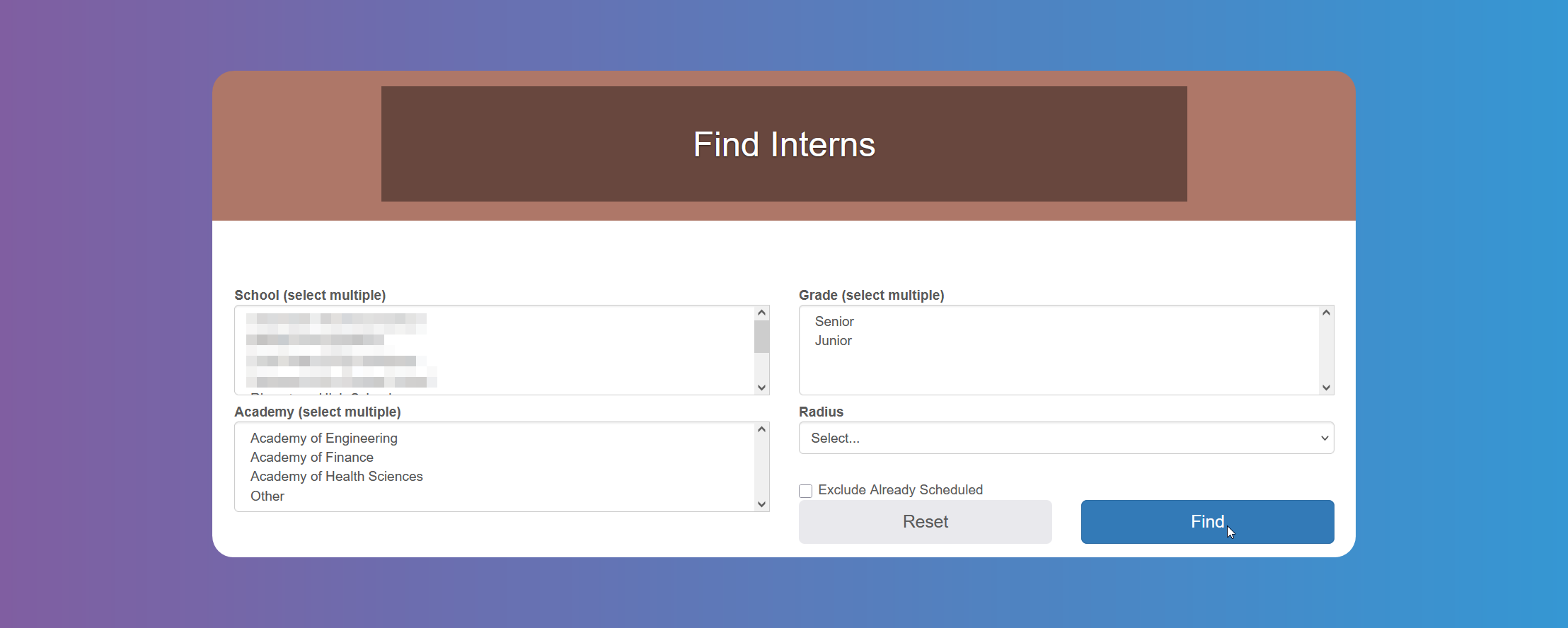
You will see a list of Students who have applied to one of your Jobs.
You can schedule an Interview, by clicking on the Interview button.
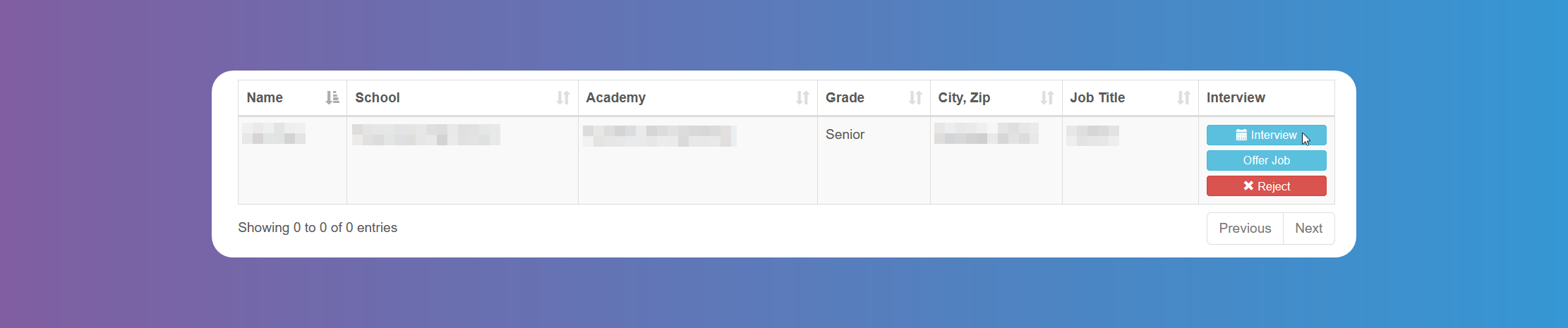
When scheduling an Interview, you will see the Student's availability, and you can choose location, date and time. After scheduling, the Interview button will be greyed out.
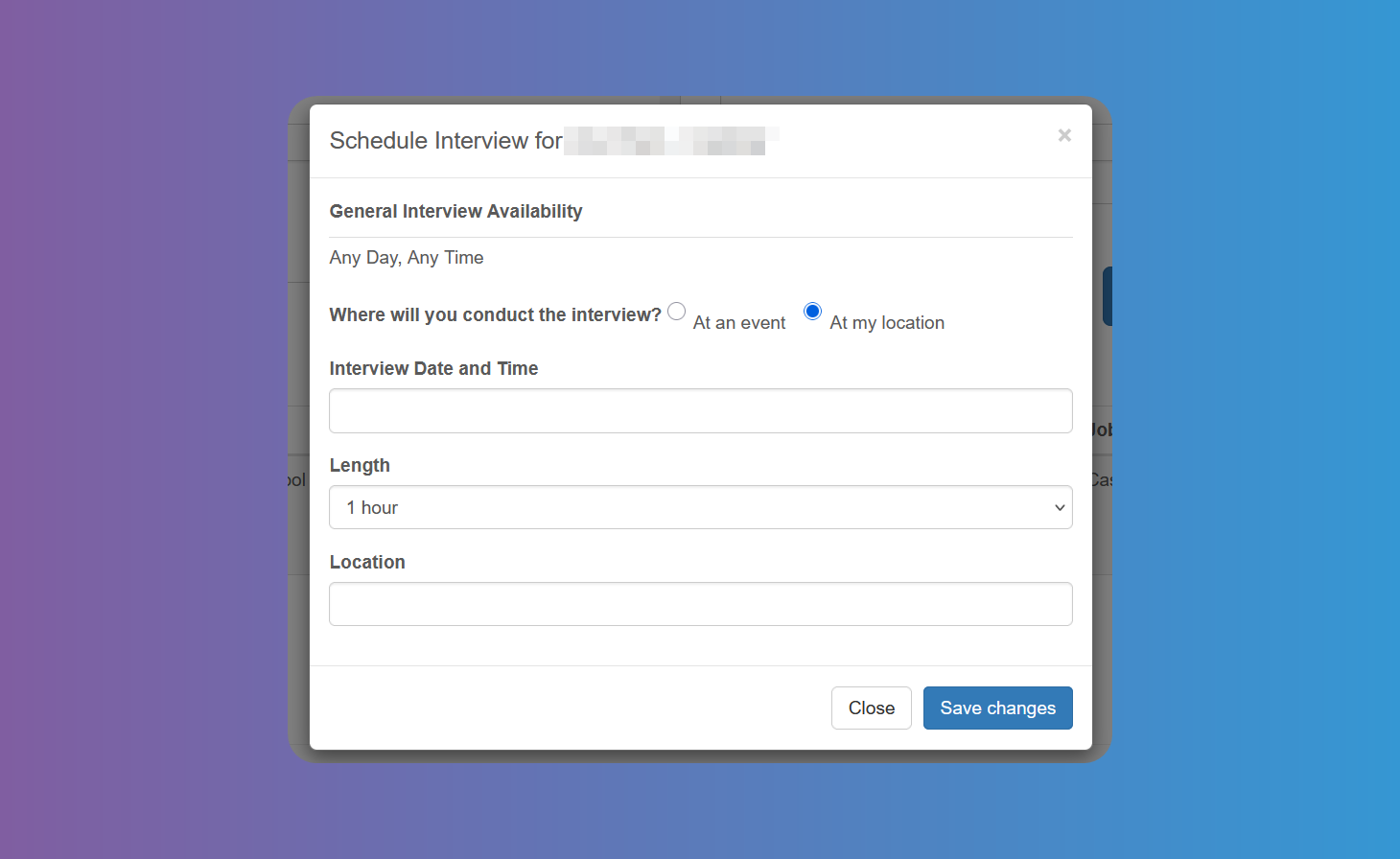
The Student will receive an email with the details.
If the School/District has added an Event, you will have the option to schedule the interview during that Event. Some Schools/Districts have student conferences type of events and take the opportunity to perform quick interviews with organizations such as yours.
Tracking your Interviews
Click on Hire - Interviews to see a list of Interviews. Use the filter to choose the Season and/or a start and end date for the search. You can cancel them from the button on the right if needed.
You can also offer the job or reject the Student.